
Burning Bridges AI Video Generator: Put Yourself in Drake's Party Scene
Burning Bridges AI turns one photo into the viral Drake party clip: you walk through the chandelier-lit dinner party, raise your cup to the camera and scan the room with the "Where she at?" move. Go solo, bring a friend or cast your dog or cat. Every video is 15 seconds, ready for TikTok, Reels and Shorts.
- One photo, no prompt
- Solo, duo or your pet
- 9:16 or 16:9, no watermark
Burning Bridges AI remixes. Yours will star the face in your photo.
What Is Burning Bridges AI? The Drake Party Trend Explained
Burning Bridges AI is the viral 2026 trend where people use AI to put themselves, their friends or their pets into the party scene of Drake's "Burning Bridges" music video. In the original, Drake walks through a packed dinner party in a black durag and black jacket, waves at the camera, lifts his cup and shades his eyes to scan the room. In a Burning Bridges AI video, the person in Drake's spot is you, and the room, the crowd and the moves stay the same.
The Song and the Music Video
"Burning Bridges" is track 8 on Drake's album Iceman, released on May 15, 2026. The music video, directed by Theo Skudra, came out the same day. Its party section was filmed in a private dining room in Toronto: dark wood walls, crystal chandeliers, warm amber light and friends crowding a handheld camera with their cups in the air.
Where the "Where She At?" Move Comes From
The line comes from the song's hook, and the gesture is a flat hand held over the eyes while you look around the room. It became a meme of its own in July 2026, when Drake was shown on the big screen doing it at a World Cup match in Toronto, right after Cristiano Ronaldo scored for Portugal.
How the Burning Bridges AI Trend Took Off
One of the earliest AI remixes we could find was posted on Threads on September 19, 2026. Within days, TikTok, Reels and Shorts filled up with versions starring friends, pets and movie characters, and the original music video started climbing again as people went looking for the real thing.
Burning Bridges AI Video Examples
Burning Bridges AI remixes in the same chandelier-lit party. Yours will star the face in your photo. Tap Use to start your own.
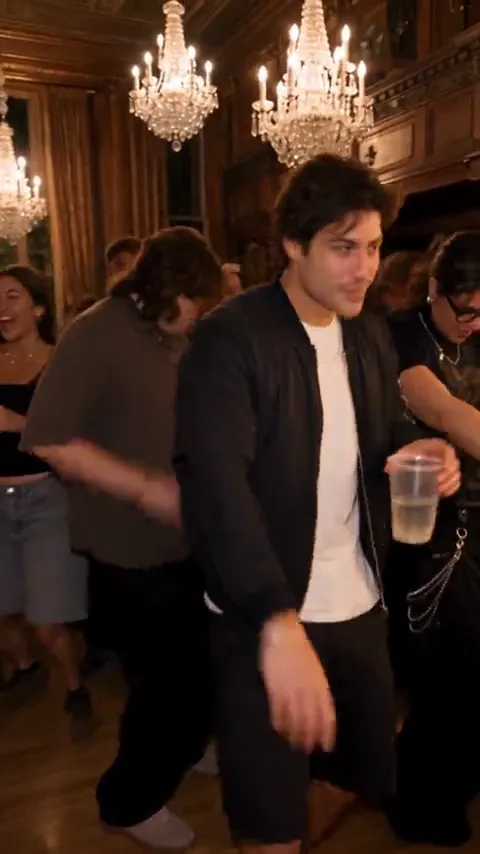
Black Jacket Classic
The closest to the original: black jacket, white tee, cup up and a grin for the camera.
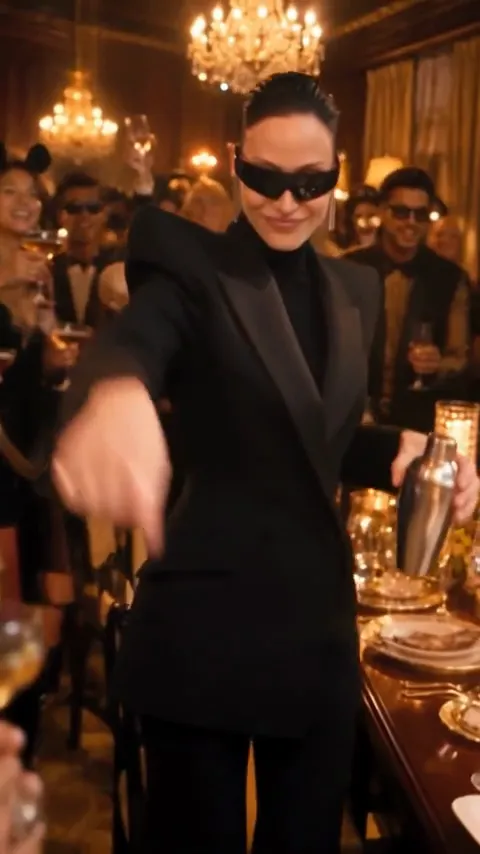
Shades and Black Suit
Black suit, dark shades and a silver shaker, with the Where she at move right on cue.
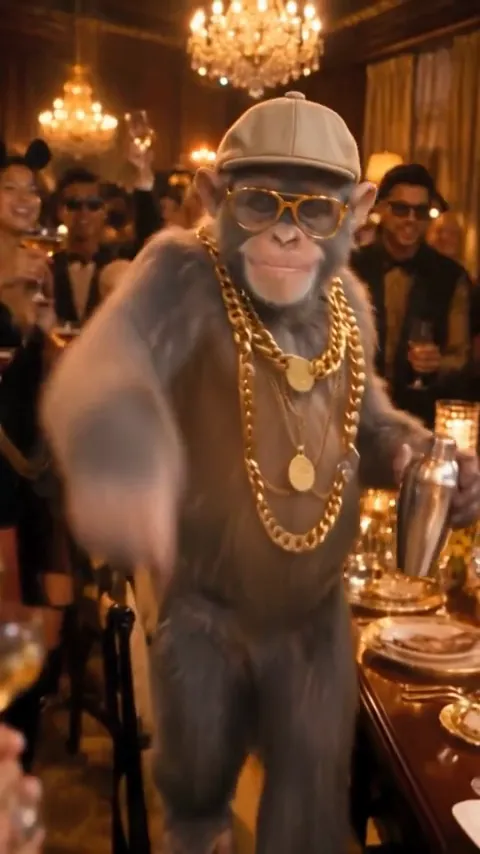
Gold Chain Chimp
Flat cap, gold chains and gold teeth. Proof that anyone can run the party.
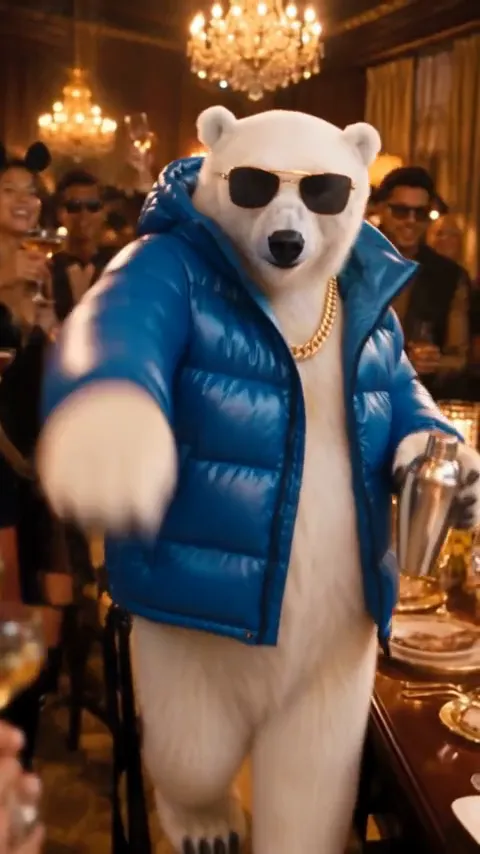
Puffer Jacket Polar Bear
A polar bear in a blue puffer and gold chain, scanning the room with one paw over its eyes.
How to Make a Burning Bridges AI Video in 3 Steps
No prompt writing, no CapCut template and no green screen. The whole Drake party scene is already set up.
Upload Your Photo
Pick Just me and add one clear photo of yourself. Want a friend in it too? Choose Me + a friend and add their photo. For the pet version, upload your dog or cat.
Pick a Format and Quality
Go 9:16 for TikTok, Reels and Shorts, or 16:9 for the widescreen music video look. Then choose Standard (480p) or HD (720p) and press generate.
Download and Add the Sound
Your Burning Bridges AI video is ready in about 4–5 minutes. Download the MP4, add the official "Burning Bridges" sound in TikTok or Instagram and post it.
What Happens in Your 15-Second Burning Bridges Video
Every Burning Bridges AI video follows the beats of the original party scene, with you in the lead role. Solo and pet versions end on a look into the lens; Me + a friend ends when you finally find them.
0–3s · The Walk-In
You walk through the crowded dinner party toward the camera, calm and unbothered, while the guests around you dance and laugh.
3–6s · Wave and Cup Up
You wave at the lens and lift your cup as the handheld camera pushes in under the chandeliers.
6–9s · Where She At?
One hand goes over your eyes and you scan the room from left to right, completely deadpan.
9–12s · Vibe With the Crowd
You nod and sway to the beat while friends crowd the camera with their drinks raised.
12–15s · The Ending
Solo and pet videos end with a straight look into the lens. With a friend, you spot them across the room, point and walk over.
Burning Bridges AI With Your Dog or Cat
The pet edition is one of the most shared versions of the Burning Bridges trend. Your dog or cat stands on its hind legs in the middle of the party while the whole room cheers. Upload one photo with the whole face and both eyes visible.
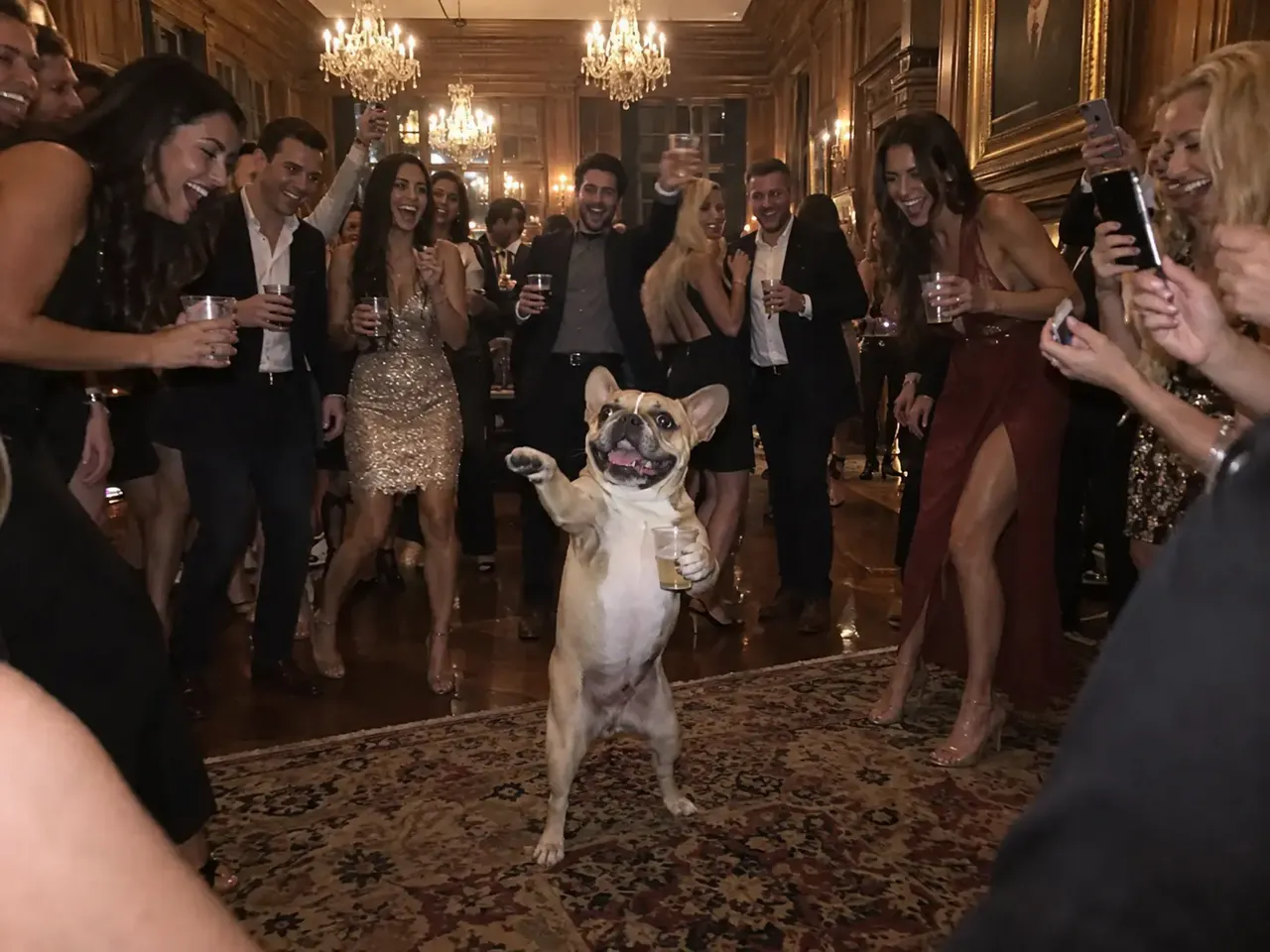
Dog Edition
A French bulldog holds a cup and owns the dance floor as guests film it on their phones.
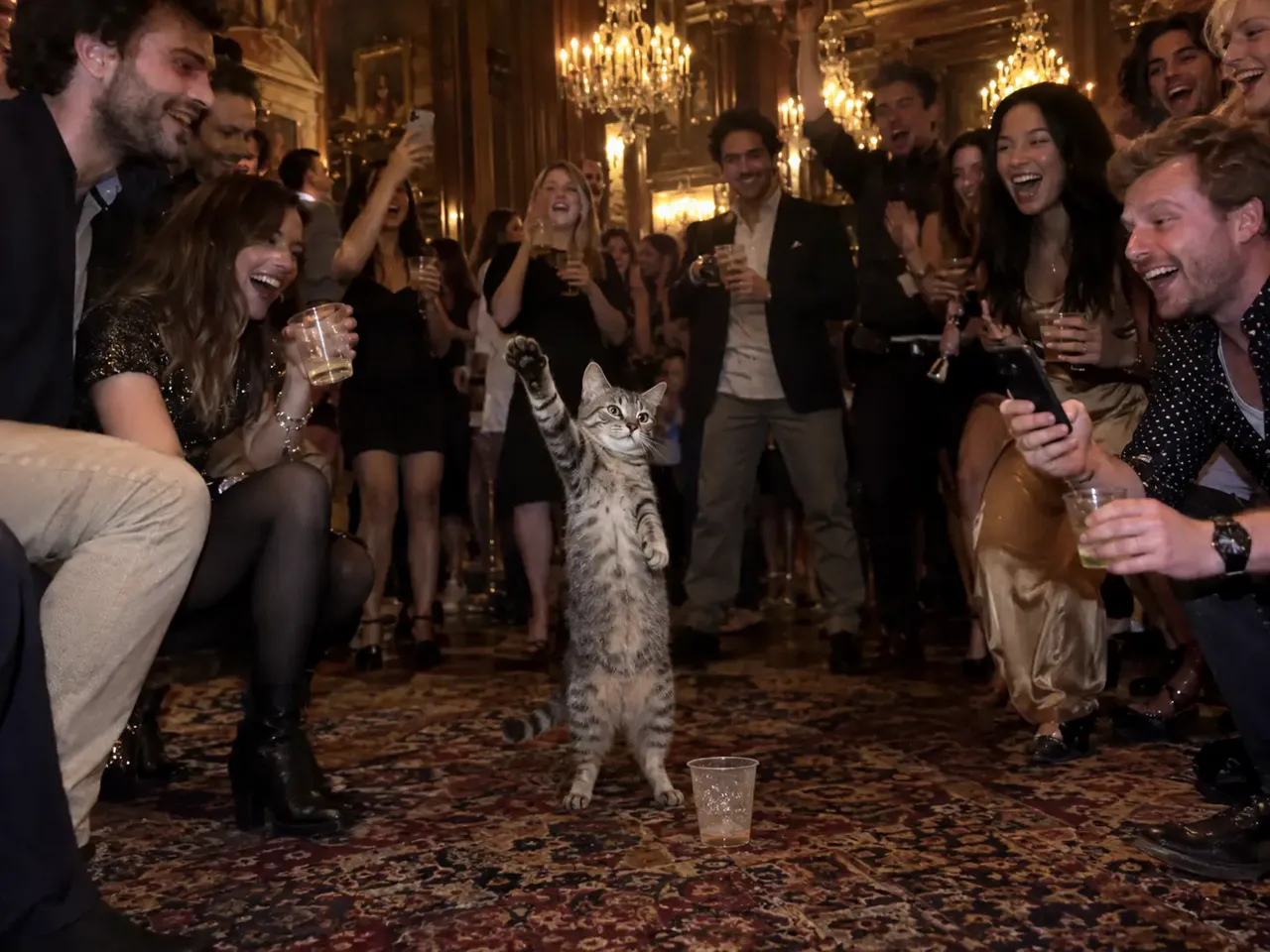
Cat Edition
A tabby cat raises one paw on the rug while the party crowds in around it.
Why Use This Burning Bridges AI Video Generator
Built for this one trend, so you get the party scene right on the first try.
No Prompt Needed
The room, the crowd, the cup and every beat of the Where she at move are built in. You only bring the photo.
Your Face Stays Yours
Tuned for identity, so it still looks like you under the warm chandelier light and in every close-up.
That Amber Music Video Look
Dark wood walls, warm amber light, a handheld camera and a packed room, just like the original Drake Burning Bridges video.
Solo, Duo or Pet
Star in it alone, add a friend you find at the end of the search, or cast your dog or cat as the party host.
Vertical or Widescreen
Most Burning Bridges AI tools only give you one shape. Pick 9:16 for TikTok and Reels or 16:9 for the music video look.
No Watermark, Private Photos
Download a clean MP4 with no watermark. Your uploads are only used to make your video and are never shown as public examples.
Burning Bridges AI Generator vs CapCut Template vs DIY
There are three ways to do the Burning Bridges trend. Here is how they compare.
One-Photo Generator (This Page)
Upload a photo and get a new 15-second party scene starring you, your friend or your pet. No editing, no prompt, no reference clip. Best if you want it done in five minutes.
CapCut Template
Templates you find on TikTok mostly cut and caption clips you already have. They don't build the party room around you, so you still need a Burning Bridges AI video to start with.
DIY With Seedance or Kling
You can generate the room, then animate each move with an image-to-video model and keep your face consistent shot to shot. It works, but expect hours of prompting and several paid renders.
Burning Bridges Trend Ideas to Post Next
The best Burning Bridges AI videos put the Where she at move in a new context. Six captions that land every time:
The Group Chat Roast
Star the friend who is always late (with their OK) and caption it "Me looking for my ride at 2 a.m."
Your Pet Hosts the Party
"What my dog does when I leave for the weekend." The cup and the crowd do the rest.
Birthday Entrance
Make the birthday person the lead of the party and send it instead of a card.
Finding Your Person
Use Me + a friend with your partner as the person you find at the end. Caption: "Where she at? Found her."
Game Day Search
Post it after a big win with "Where the defense at?", just like the World Cup moment that made the move famous.
Friday Night Plans
Drop it in your story at 6 p.m. on a Friday and let your friends answer the question for you.
Burning Bridges AI FAQ
Everything people ask about the Burning Bridges AI trend and making their own.
Burning Bridges AI is a viral 2026 trend where people use AI to put themselves, a friend or a pet into the party scene of Drake's "Burning Bridges" music video. The new star walks through the amber-lit dinner party, raises a cup and does the "Where she at?" move. It spread on Threads, TikTok, Reels and Shorts in late September 2026.
The trend uses "Burning Bridges" by Drake, track 8 on his album Iceman, released on May 15, 2026. The music video came out the same day, and its party section is the scene every Burning Bridges AI video copies.
"Where she at?" is a line from the song's hook. The matching move is a flat hand held over the eyes while you look around the room, as if you're searching for someone. It became its own meme in July 2026, when Drake did it on the big screen at a World Cup match in Toronto after Cristiano Ronaldo scored.
The party scene was filmed in a private dining room at Sotto Sotto, an Italian restaurant in Toronto's Yorkville neighborhood. That's where the dark wood walls, chandeliers and warm amber light that every Burning Bridges AI video copies come from.
Choose Just me, upload one clear photo of yourself, pick 9:16 or 16:9 and click generate. The party room, the crowd, the cup and the Where she at move are already built in, so you don't need to write a prompt or edit anything. Your video is ready in about 4–5 minutes.
Yes. Choose My pet and upload a photo where the whole face and both eyes are visible. Your pet stands on its hind legs in the middle of the party, raises a paw over its eyes for the Where she at move and looks straight into the camera at the end.
Yes. Choose Me + a friend and upload two photos, one person in each. You do the search through the party, and the person in the second photo is the one you find at the end. You can swap who does the search before you generate.
No. The song is copyrighted, so your video comes with party ambience instead. Before posting, add the official "Burning Bridges" sound from TikTok's or Instagram's sound library. That also puts your video on the trend's sound page, where more people will see it.
Creating an account is free, but every video is a real 15-second AI render, so making one is paid. One Standard video costs $4.99, and bigger one-time credit packs on the pricing page bring the price per video down. There's no subscription, and if a video fails its credits are refunded automatically.
Most videos are ready in about 4–5 minutes, a bit longer at peak times. Each Burning Bridges AI video runs 15 seconds, in Standard 480p or HD 720p, and fits TikTok, Reels and Shorts without trimming.
You may see CapCut templates linked on TikTok, but they mostly edit clips you already have. They don't generate the party scene around your face. Make your Burning Bridges AI video here first, then use CapCut if you want to add captions or cut it together with other clips.
No. Some viral versions star movie characters or famous people, but we don't generate copyrighted characters or real public figures. Use a photo of yourself, a friend who agreed, or your own pet.
One person per photo, facing the camera, in good light. A half-body shot gives the best wave, cup and Where she at move. For Me + a friend, use two separate photos rather than one photo of you together. Avoid group photos, sunglasses, heavy filters and tiny faces.
It's a good idea. TikTok asks creators to label realistic AI-generated content. Turn on the AI-generated label when you post, or add "AI" to your caption.
No. Burning Bridges AI is an independent tool inspired by the trend. It is not affiliated with, endorsed by or sponsored by Drake, OVO, Republic Records or any rights holder of the song or its music video.
Your Turn to Walk Into the Party
One photo, one chandelier-lit room and one "Where she at?". Make your Burning Bridges AI video in about 5 minutes, from $4.99.